
Grok Bot Bengaluru · 19 Nov 2026
Grok Bot 101 & Pro Tips
From someone who runs work and life on Grok Bot
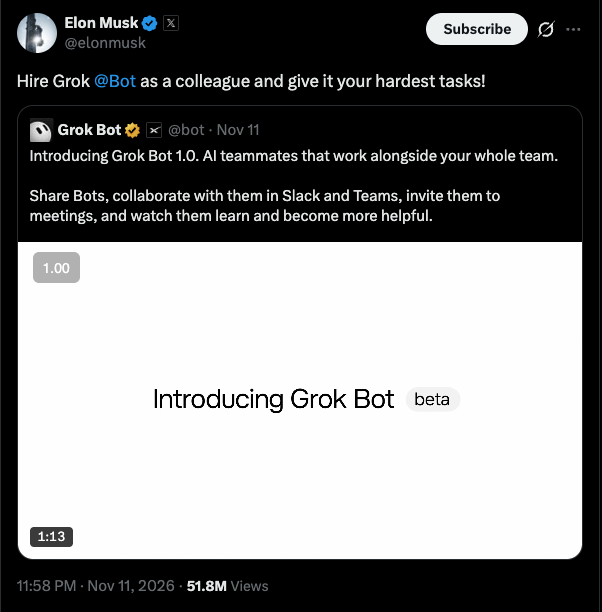
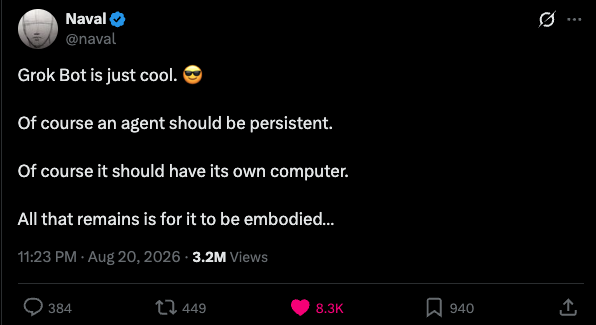
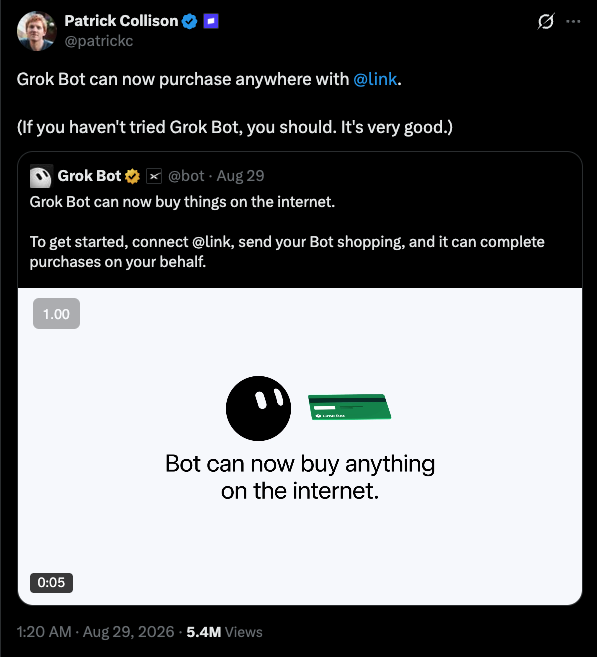
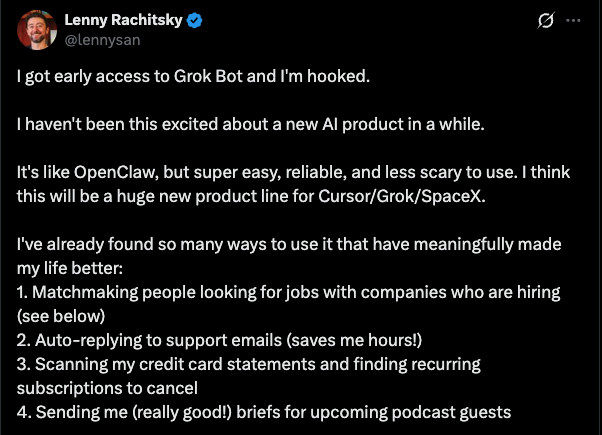
 Grok Bot Bengaluru
About me
- Mohammed Sanjeed. AI consultant.
- Building with LLMs since 2023.
- IIT Madras, then engineer, PM, AI consultant.
- Worked with YC-backed startups to enterprises on agents, evals, GTM.
- Bot ambassador, regional lead, South Asia.
- About 45 Grok Bots run my work and life.
- sanjeedm.com X @sanjeed_i LinkedIn
 Grok Bot Bengaluru
Agenda
- Grok Bot 101
- Leveraging agents: the fundamentals
- Real use cases
- Pro tips
- Community demos, then AMA
Then a live build. Everyone builds a bot. The team walks around to help.
Grok Bot 101How we got here
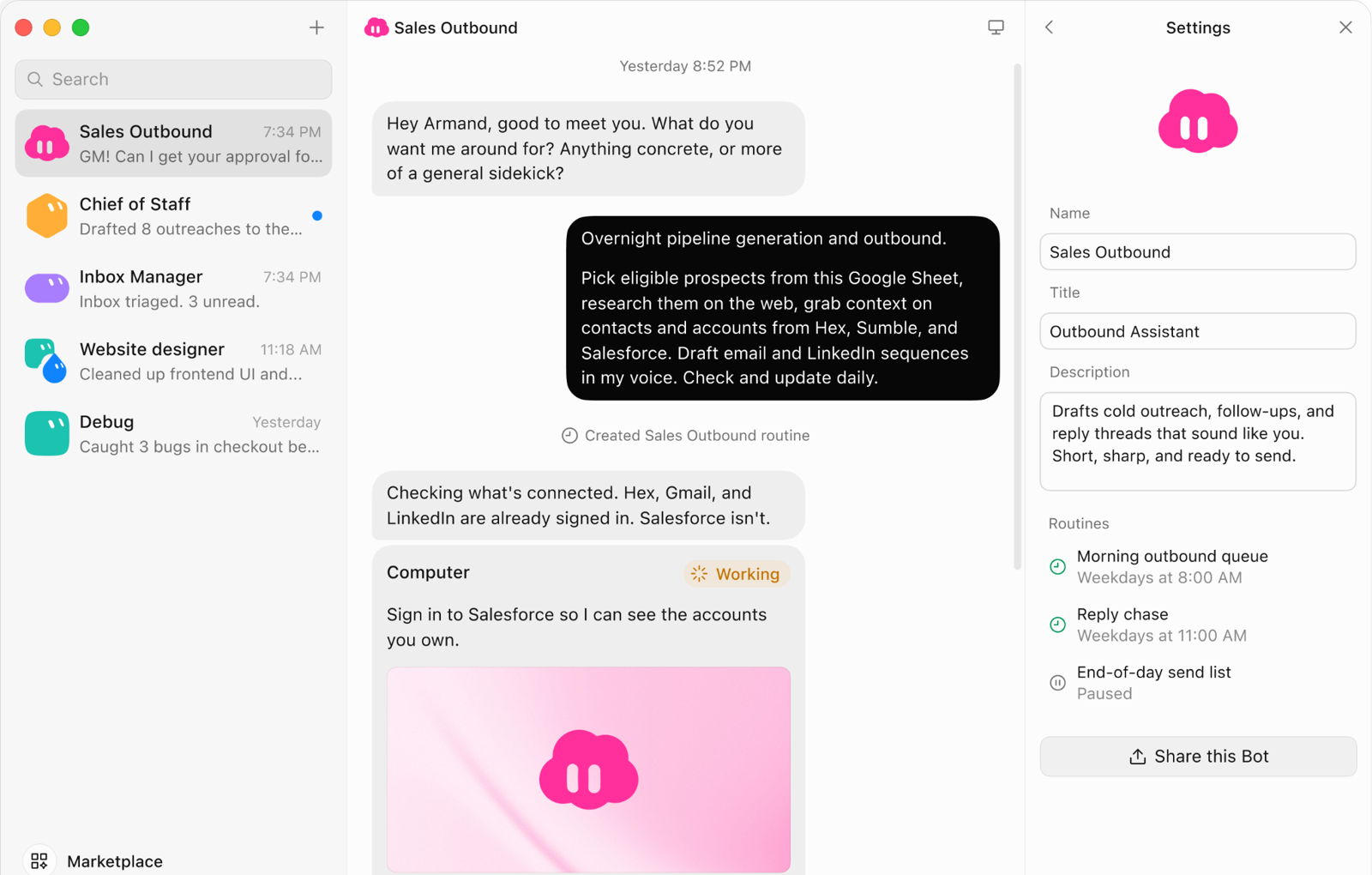
Grok Bot 101Grok Bot: an agent with its own computer
- It works on its own cloud computer: browser, terminal, files.
- It picks the model for each task, so you don't have to.
- You decide what needs your approval and what runs on its own.
 Grok Bot 101
What every bot has
Memory
Its own. Your preferences, its rules, a log of its work.
Skills
A task that worked, saved to reuse.
Routines
Runs on a schedule, or when something happens.
Apps
Gmail, Drive, Slack and more. Or your own MCP.
A computer
Browser, terminal, files. Shared by all your bots.
Plus voice chat, Pages, and phone calls (US only for now).
Grok Bot 101How Grok Bot is safe
Its own cloud computer
Each person gets their own VM. Only your bots share it.
No access by default
It reaches only the accounts you sign it into. It never sees your saved passwords.
Approval gates
Auto Review checks risky actions. Add Ask first rules for anything that must wait for you.
Admin control
For teams: org-wide on and off, network and connector policy, team rules.
Leveraging agentsHow to make a good bot
Works with any agent. Here's how each step looks in Grok Bot.
1. Onboard
Context about you.
2. Connect
Hook up your apps.
3. Get it right
Do it together until it's good.
4. Routines
Runs while you sleep.
5. Grow a team
One bot, one job.
Step 5Grow a team
Talk mostly to your primary bot. Split a job out when it has its own sources, schedule, or approvals.
Bots hand work to each other, in DMs or group chats.
How I got these
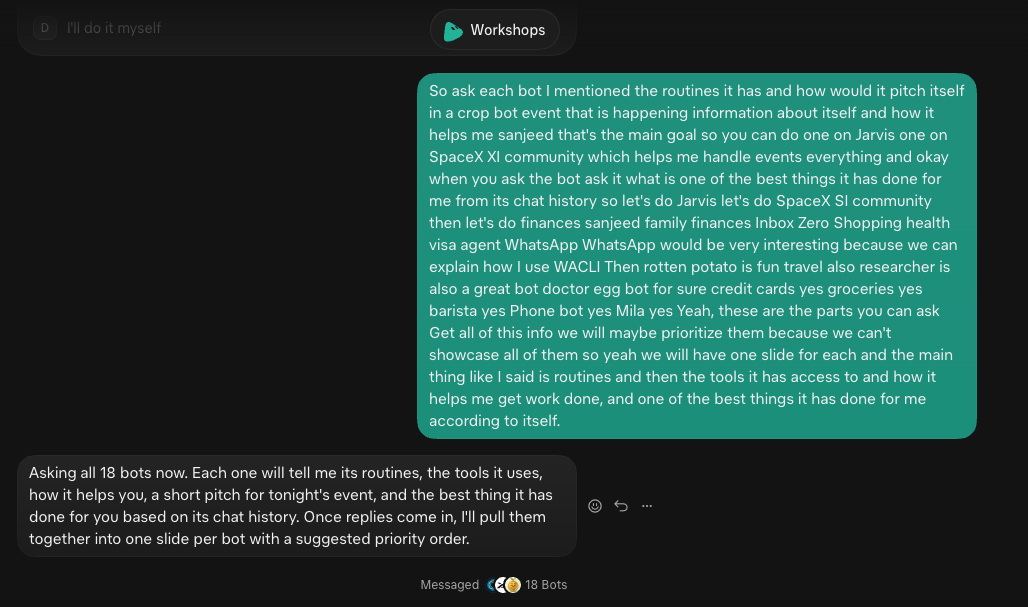
One voice note to my workshop bot
It messaged my other bots and asked each one for its routines, how it helps me, and the coolest things it has done.
 Real use cases
Jarvis
My chief of staff. I talk to Jarvis; it gets the right bot on the job.
Routines
- 8:00 AMX bookmarks: each one routed to a bot
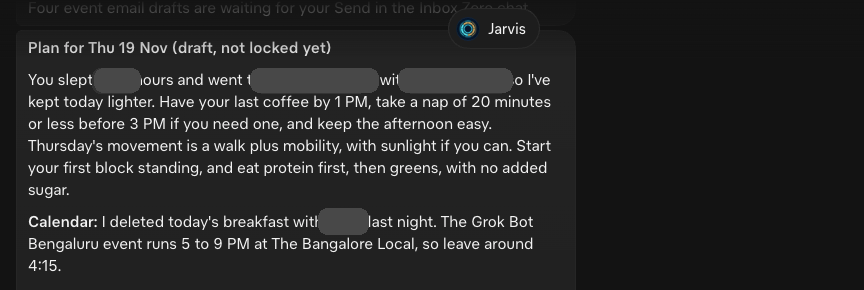
- 8:40 AMPlan-day: checks Dayflow and my sleep, drafts my day
- 11:00 PMReflect-day: what got done, what stalled
Highlight
Reads Dayflow, the timeline of what I actually did on my Mac, and plans my day around it.
Real use casesInbox Zero
Reads my email so my day doesn't start in it.
Why it's useful
- Sorts my inbox every weekday morning: do today, drafts, FYI.
- Replies come drafted. Nothing sends without my click.
- Today's list goes to Jarvis for my day plan.
Real use casesReads every unread chat and hands me only what needs me, replies drafted.
Why it's useful
- It can't send anything.
- Gives me only what needs me: to-dos and replies I owe.
- Hands the action list to Jarvis.
Highlight
A few hundred unread messages become a short to-do list, replies drafted in each person's tone, even Manglish.
Real use casesMila
A PM bot for a client product. Checks usage, app logs and AI agent logs, and launches cloud agents to fix what breaks.
Routines
- 8:00 AMUsage and log check: cloud agents fix breaks
- 8:30 AMConcise update to send the client
- Weekdays 7 PMReviews open PRs
- On alertEvery new Slack alert
Real use casesSpaceXSI Community
Runs logistics for meetups like tonight, so I can spend my time on people.
Skills
- Brand assetsLogos, fonts and colors for every event
- Inbox sweepEmail and WhatsApp, one list
- Food splitVeg and non-veg counts for the venue
Highlight
Ran tonight's event inbox: about 30 guest emails turned into 12 reply drafts before lunch.
Real use casesCredit Cards
Knows every card's caps and fine print, so I never think about which one to swipe.
Why it's useful
- A weekly spend recap flags when I'm close to a cap.
- Watches offers so they don't expire unused.
Highlight
Reads every statement line by line, and caught bonus points the bank missed.
Real use casesGroceries
Compares live prices across delivery apps and drafts the cheapest cart. Never orders without my yes.
Why it's useful
- A Sunday fridge check puts what's low on the list.
- Logs prices, so it knows a real deal.
Highlight
Compares four delivery apps at my address, with coupons and card offers, and drafts the cheapest cart.
Real use casesFinances Sanjeed
Keeps a ledger of my statements and shows me where the money goes.
Routines
- 10:00 PMDaily check-in: I add notes to the day's transactions
- Mon, Thu 11 AMSpend analysis
- 1st, 9 AMMonthly statement ledger
Real use casesRotten Poteto
Picks what I watch, read and play. Then sets a stop time, with a bet on it.
Why it's useful
- Picks from my tastes, saved in my vault.
- Watches game sales and pings me only on a discount.
Highlight
One queue across books, shows and games, and it never suggests something I've already seen.
Real use casesResearcher
Only for deep research.
Tools
- Web searchThe open web, with sources
- Reddit, YouTube, TikTokWhat real users say
- X searchLive takes from people building
- last30days skillOnly what people said in the last 30 days
- Research trackerA Page with every open question
- Obsidian vaultWhat I already know
Real use casesPhone
Makes AI phone calls for me: checks stock at a store, books a reservation.
Why it's useful
- Built-in calls are US only, so mine runs on Vapi.
- I approve the script before every call.
- Other bots hand it calls when they need to talk to a business.
Highlight
One approved script, six store calls for stock, and a summary of each call.
Pro tip 1
Import your memory first
- Bring over what your other AIs already know about you.
- Your primary bot starts on day one already knowing you.

Pro tip 2
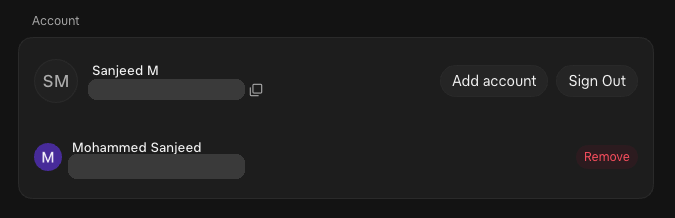
Add your work account too
- Add your work account, then switch between personal and work.
Pro tip 3
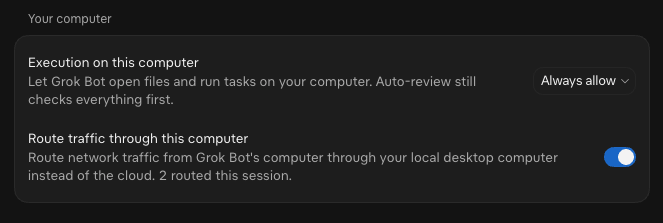
Let it use your own computer
- It can open files and run tasks on your Mac. Auto Review still checks first.
- The default is Ask every time. Start there.
- Route its traffic through your computer. Handy for sites that block cloud servers.
Pro tip 5
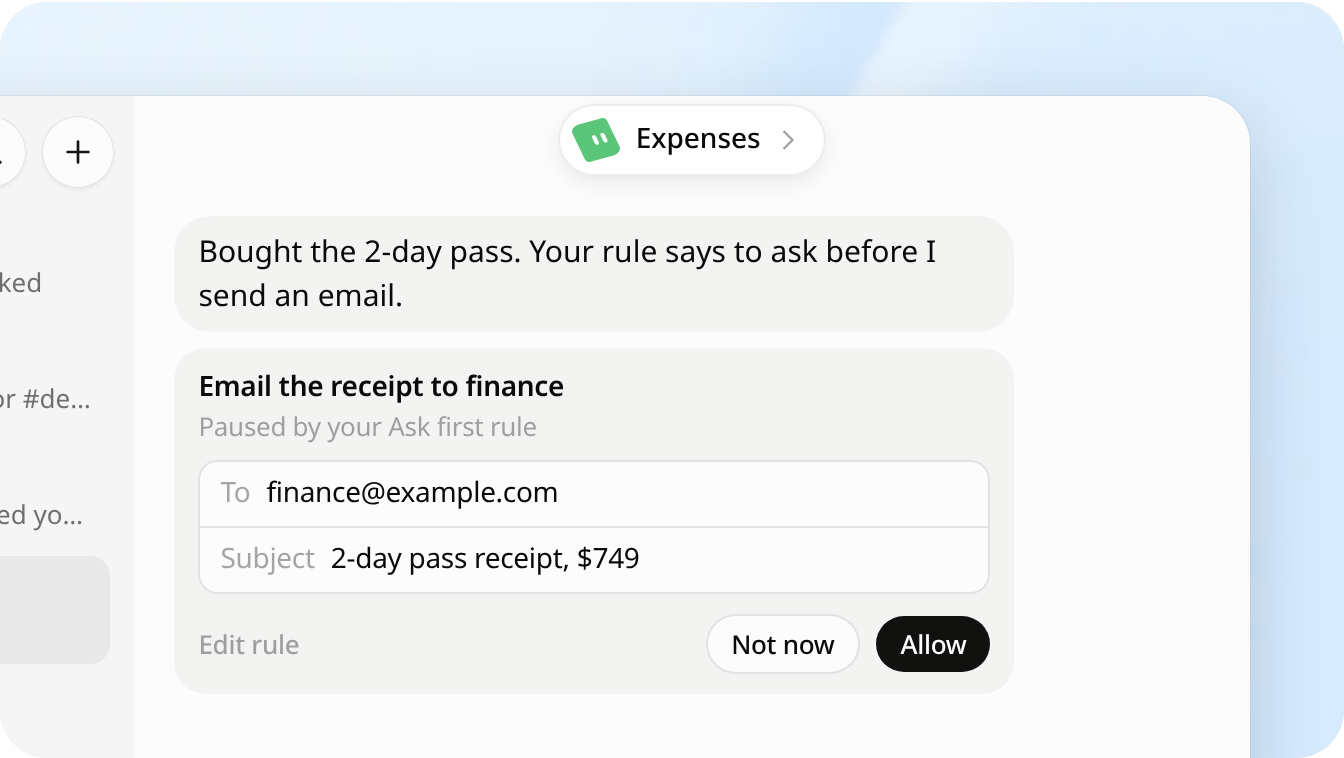
Set the guardrails you need
- Custom Rules: "Ask first" or "Allow automatically", per action.
- All your bots share one computer, sign-ins included.
Pro tip 9
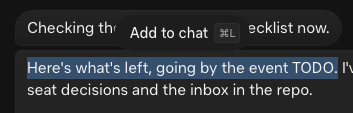
Reply to one part of a message
- Select any part of its reply and press Cmd L to add it to chat.
- Then reply to exactly that line. Not needed, but it helps.
 Pro tip 11
Don't start blank
I highly recommend dr eggbot. There are many more.
dr eggbot
Designs good bots. Checks your routines for waste.
Import Bot
Brings your OpenClaw, Hermes, Codex setup over.
Overheard
Watches the web for mentions of you.
Tradbot
Personal email and calendar. Never sends without you.
Projects Manager
Runs a team of bots from Notion.
More: x.ai/bot/marketplace
Grok Bot BengaluruLinks worth saving
- x.ai/bot/guidesOfficial playbooks by role
- docs.x.ai/grok-botDocs: memory, skills, routines, Vault
- x.ai/bot/marketplaceTemplates
Grok Bot BengaluruFollow for Grok Bot and AI tips

 Grok Bot Bengaluru
Come to the next one
Follow the Bangalore calendar on Luma to hear about future events.